How to Set Up Hiddify on Mac

A modern open-source client available directly through the App Store. Perfectly complements NodeNow with its stunning design.

1

Download from Mac App Store

Hiddify can be safely downloaded directly from the Mac App Store without extra steps.

(Supports macOS 12.0+ / Optimized for Apple Silicon Macs)
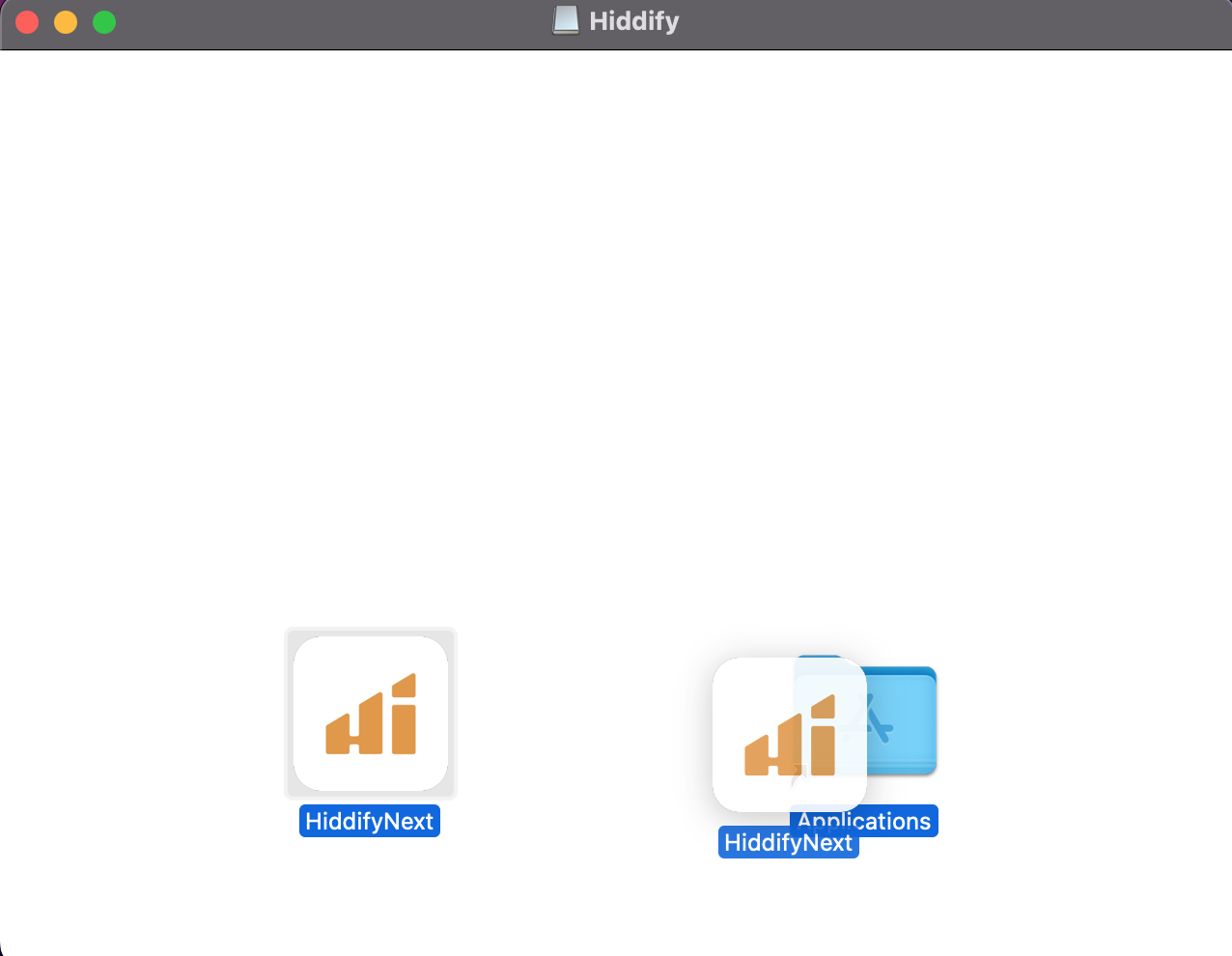
Mac App Store Step 1
2

Copy NodeNow Subscription Link

  1. Access twinnode.net through your browser.
  2. Go to your My Subscription (Dashboard).
  3. Click the "Copy Subscription (Universal)" button to copy your server list URL to the clipboard.
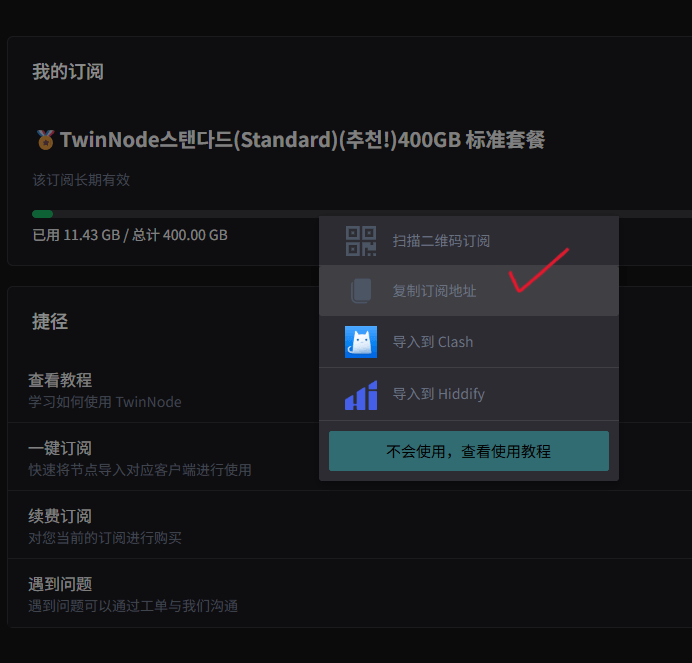
Copy Link Step 2
3

Import Profile (Subscription)

  1. Open the Hiddify Proxy & VPN app.
  2. Click the New Profile (+) icon in the top left or center area.
  3. Select Add from clipboard to instantly import the link you copied.
  4. Your subscription and server nodes will refresh automatically.
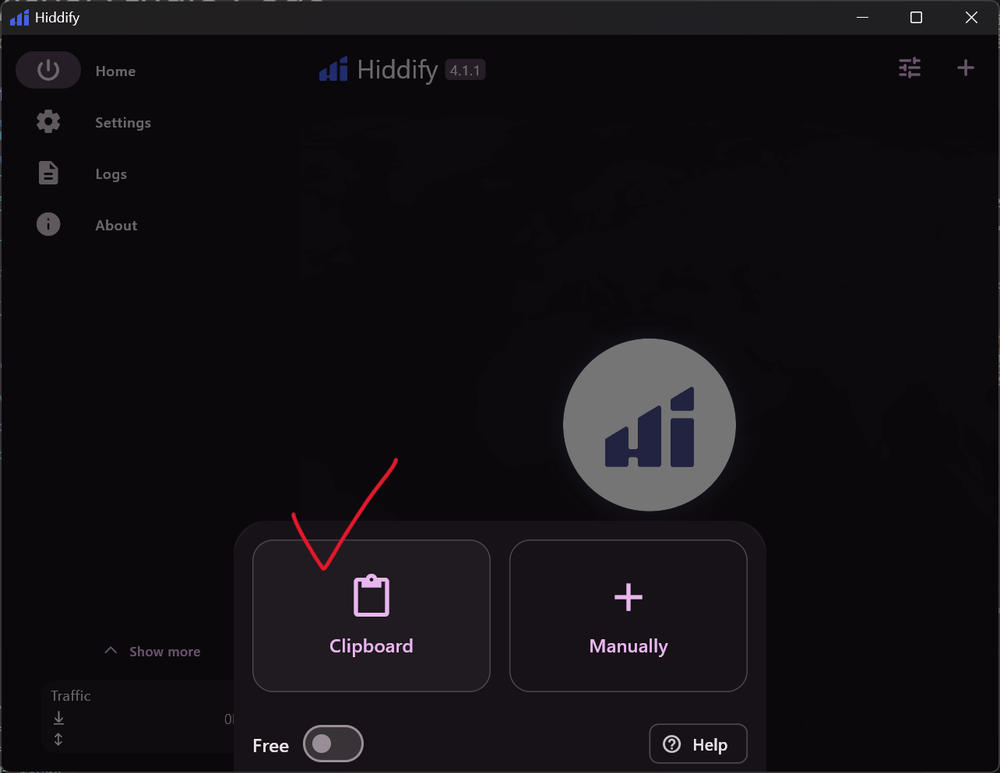
Import Step 3
4

One-Click Connection

Simply tap the large 'Tap to Connect' dial in the middle of the screen.

Upon initial connection, macOS may request permission to add VPN configurations to the system. Click [Allow].

Once the status turns green and the network is established, you can enjoy secured browsing immediately.
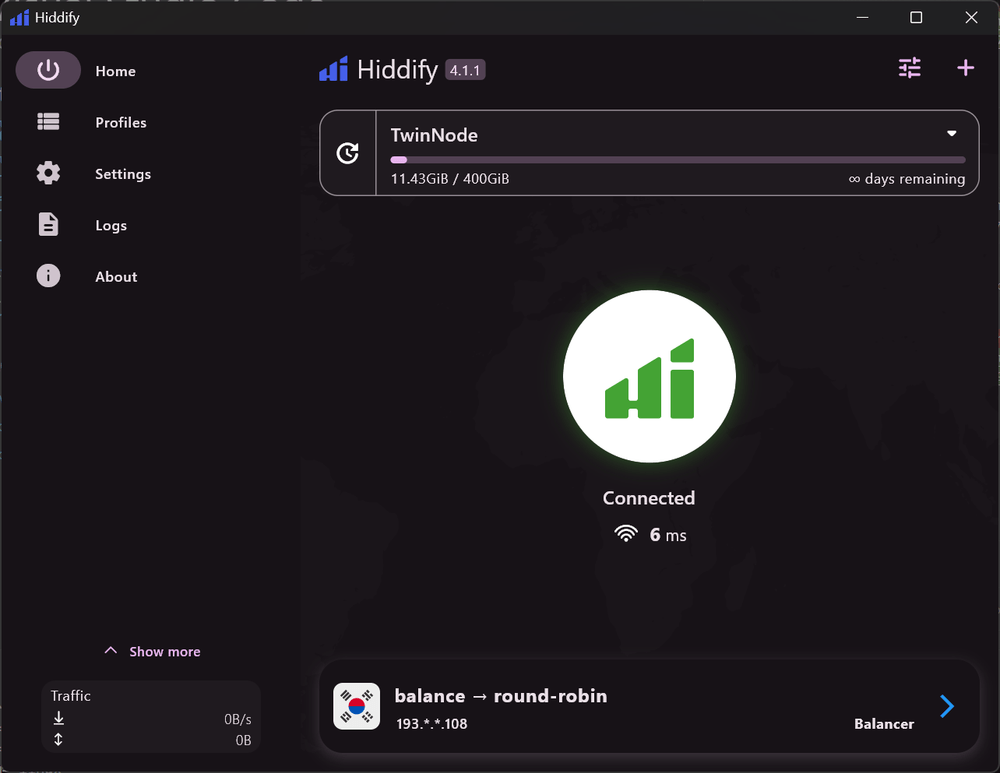

Connect Step 4
Hiddify Mac Troubleshooting

Frequently Asked Questions (FAQ)

We recommend the DMG (Open Source Web Download) for better stability. The App Store version may encounter frequent connection drops or failures due to Apple's strict sandbox policies affecting TUN network proxy driver permissions.
The VPN tunnel pauses during sleep. It usually takes 2-3 seconds to resume connection upon waking. If disconnects persist, adjusting app settings for network reconnection delays or Do Not Disturb options can help.
Modern macOS security requires your explicit consent for an app to read your clipboard. You must click Allow on the system notification popup to successfully import the link.
This is a standard procedure for Hiddify to request 'Network Extension' or 'System Proxy' permissions to route your traffic globally. Please authorize it using Touch ID or your Mac password.
Using the default Rule mode is most convenient. It ensures local apps like KakaoTalk or local portals maintain high speeds by not routing through the VPN, while selectively bypassing restrictions for international traffic.

Don't Have a NodeNow Account Yet?

Free Trial · No Auto-pay · Unlimited Traffic

Limited Time Start Free Trial Now