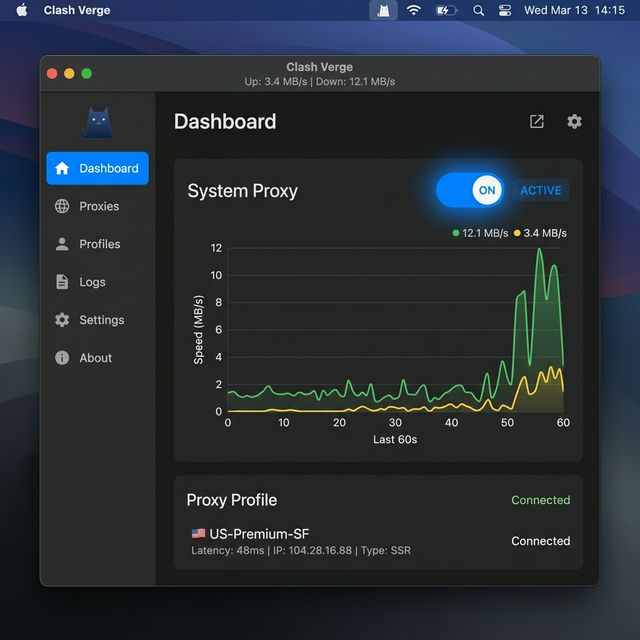
Note: Always use the latest client version from this page to avoid security vulnerabilities. (Current: Clash Verge v2.4.7)
1
Download & Install Clash Verge
Download the .dmg file compatible with your Mac's CPU (M series or Intel).
Mac M Series (Apple Silicon)
Mac Intel Download
Installation Method:
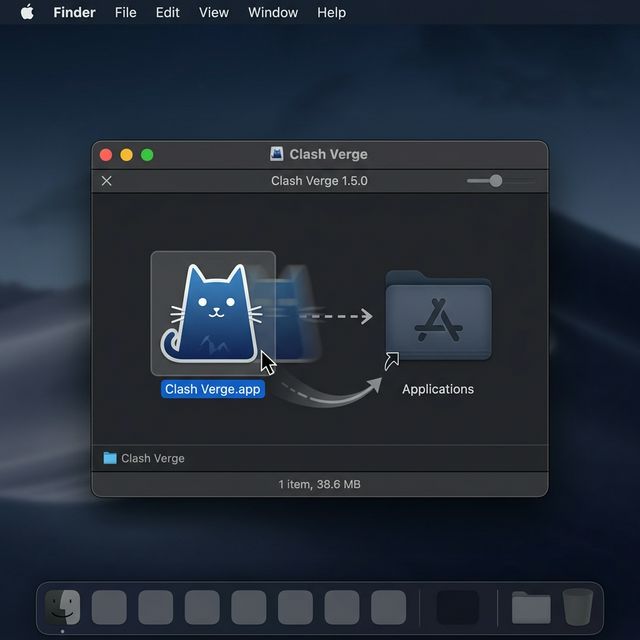
- Double-click the downloaded
.dmgfile to open it. - Drag and drop the Clash Verge icon into the Applications folder.
- Launch the app from Launchpad.
- If an "Unidentified developer" warning appears, go to System Settings > Privacy & Security and click "Open Anyway" at the bottom.
2
Import NodeNow Subscription Link
Link your NodeNow subscription to Clash Verge.
- Log in to My Subscriptions (Dashboard) on NodeNow Account Center.
- Click the "Copy Subscription (Universal)" or batch subscription link button.
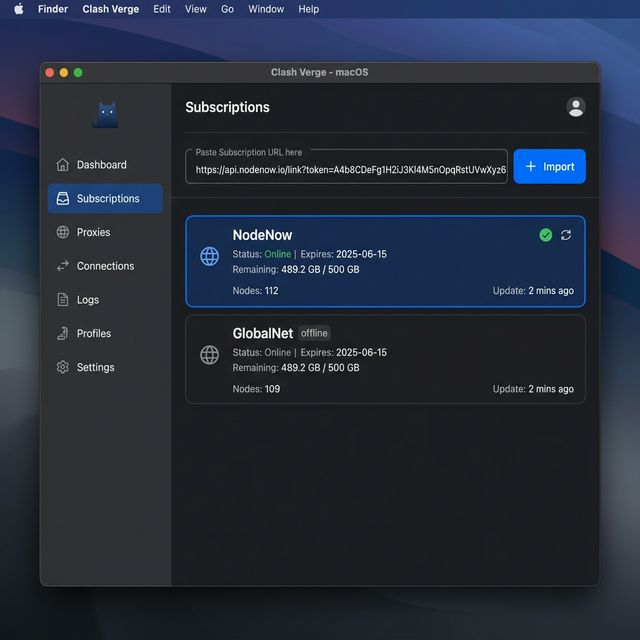
- In Clash Verge, click Subscriptions in the left sidebar.
- Paste the link into the address field at the top.
- Click the Import button on the right.
- Profiles and nodes will be downloaded. Click the new profile card to activate it (it will be highlighted in blue).
3
Select Server Location
- Click Proxies (代理) in the left sidebar.
- Choose a high-speed server from groups like GLOBAL or PROXY.
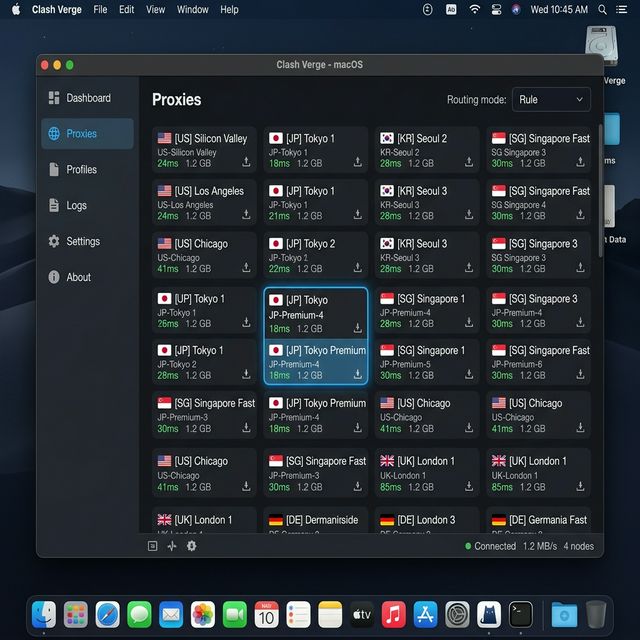
We recommend the default "Rule" mode. Domestic sites connect directly, while blocked international sites route through the VPN. Use "Global" for full VPN coverage.
4
Enable System Connection
- Click the Home tab in the left sidebar.
- Toggle the System Proxy switch to On.
- The switch turns blue, and your traffic is now secured! Enjoy free web access.